
The consultation screen
The patient on the left, the note on the right, and the letters you can print from the top.
2 min read
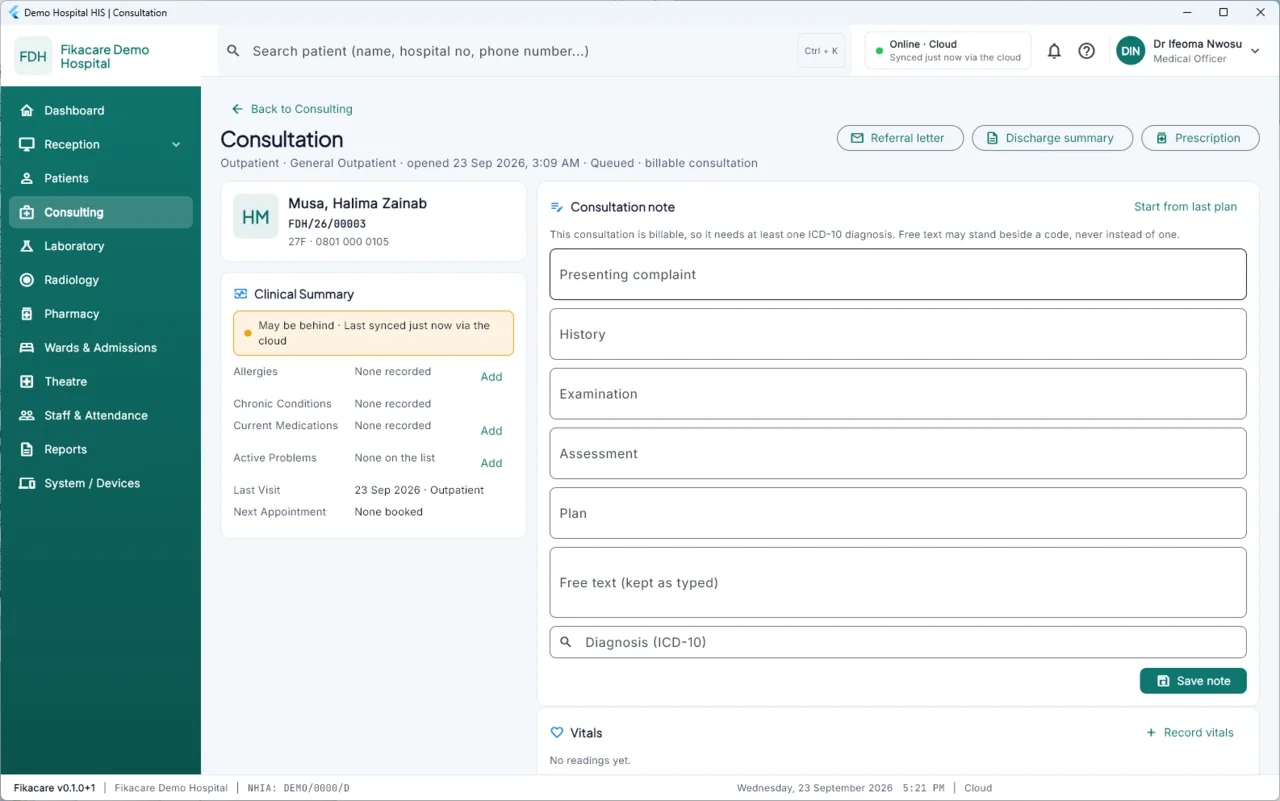
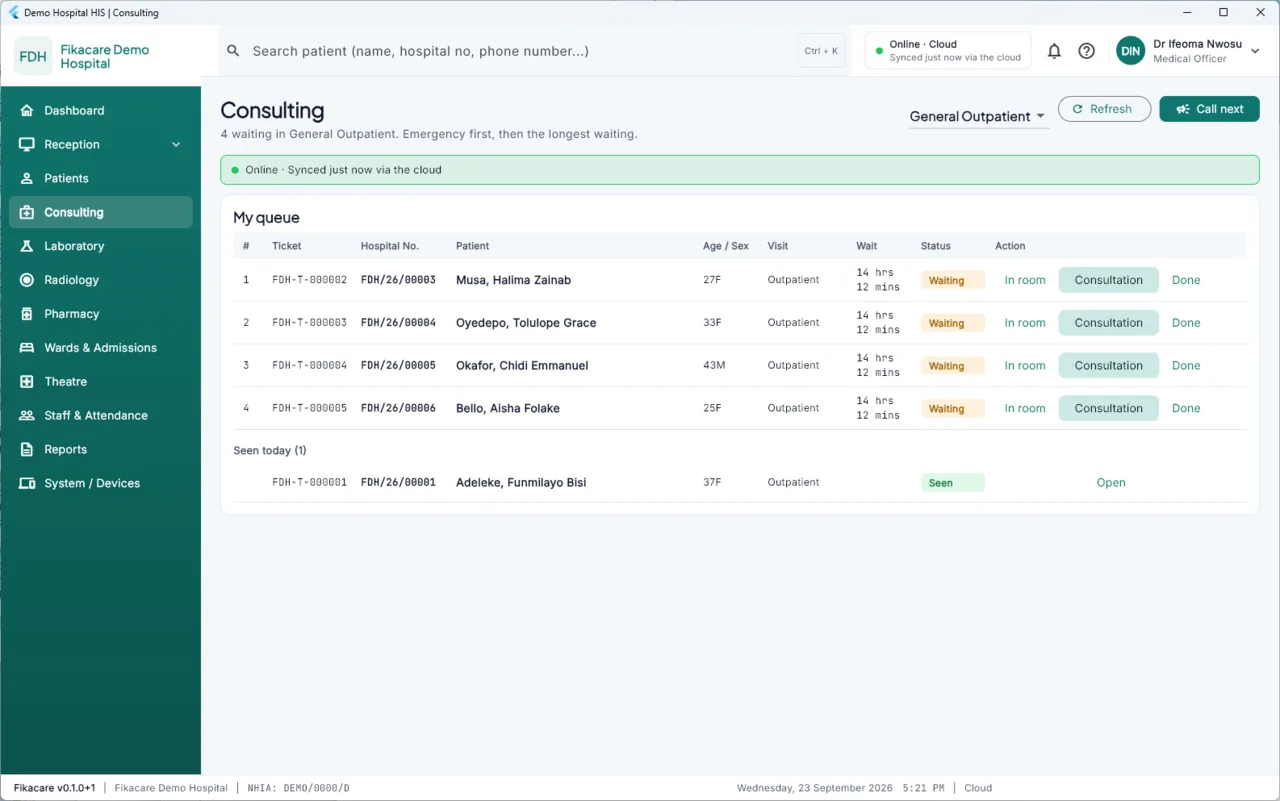
Choose a patient from the queue in Consulting and their consultation opens.
Under the heading
The visit in one line: type, department, when it was opened, where it is in the queue, and whether it is billable. "Billable consultation" means a charge is expected for it, which is why a diagnosis is required — see Writing a consultation note.
On the left: who you are seeing
Name, hospital number, age, sex, phone. Below it the clinical summary: allergies, chronic conditions, current medications, active problems, the last visit and the next appointment.
Read the banner on this panel. It is escalated: what would be amber elsewhere shows as amber or red here and cannot be dismissed, because "no allergies recorded" from a machine that has not synced since yesterday is not the same statement as "no allergies".
Add beside allergies, medications and problems records them there and then. Anything added here is on the patient's record permanently, not just on this visit.
On the right: the note
The note itself, and below it Notes on this visit — everything written during this visit, by anybody, each with its author and time.
Along the top
Referral letter, Discharge summary and Prescription print from what is already recorded. They use your hospital's letterhead and are signed with your name and council number, taken from your staff record — you do not type either.